
Table of Contents
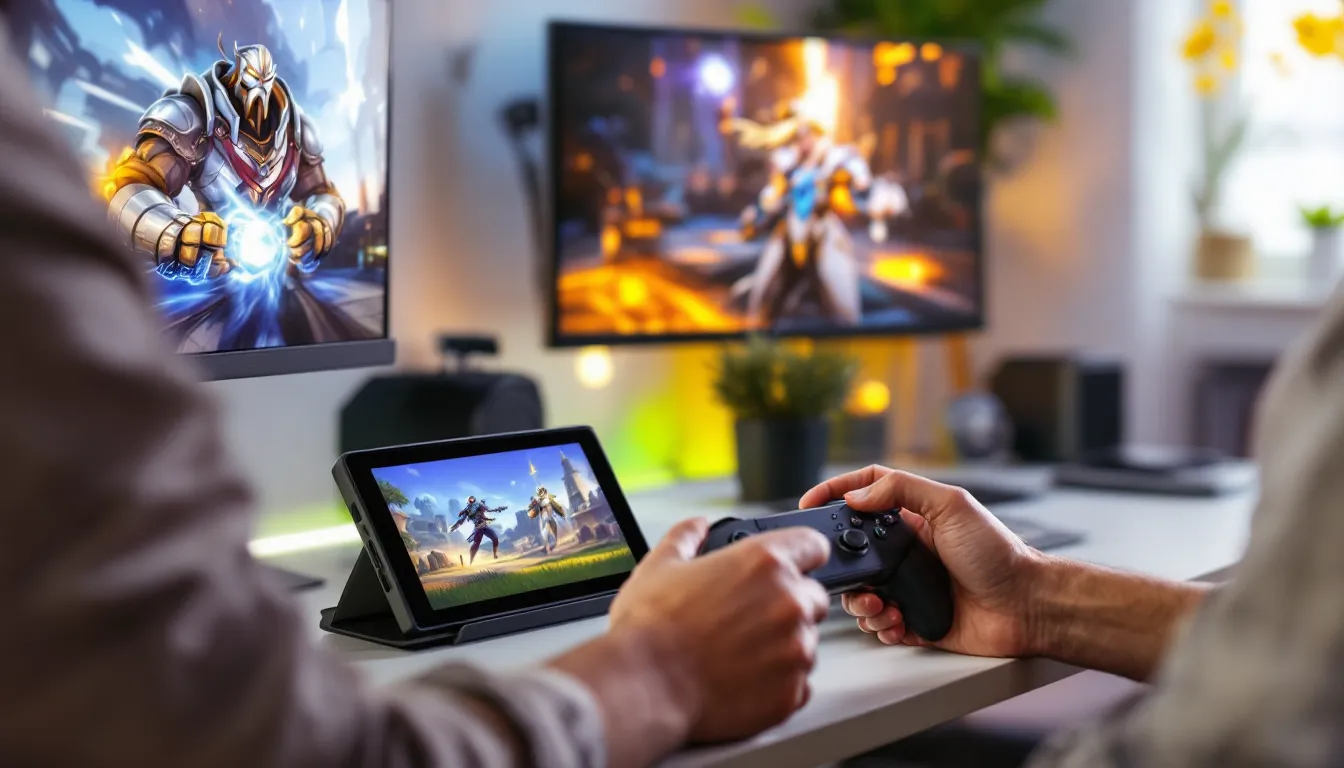
ToggleOverwatch on Nintendo Switch has carved out its own niche in the competitive shooter landscape, offering portable access to Blizzard’s hero-based FPS. Whether you’re a casual player wanting to grind some Quick Play between commutes or someone testing the waters before diving into PC or console, the Switch version delivers genuine gameplay, but with tradeoffs you should know about. This guide covers everything from performance expectations to controller customization, competitive viability, and the setup process. If you’re considering Overwatch on Switch in 2026, you’ll want the specifics before committing drive space and time.
Key Takeaways
- Overwatch 2 on Nintendo Switch offers free-to-play access with full cross-progression, allowing your cosmetics, rank, and progress to sync seamlessly across PC, PlayStation, Xbox, and Switch platforms.
- Switch targets 60 FPS docked but dips to 30 FPS during intense teamfights, with graphics scaled down compared to other platforms—best experienced on a TV with a Pro Controller for competitive play.
- Setup is simple: install (~30–35 GB), link your Battle.net account once, customize controls with gyro aiming support, and queue into regional servers with cross-platform matchmaking.
- Heroes with larger hitboxes and forgiving mechanics like Reinhardt, Mercy, and Soldier: 76 are easier to execute on Switch than precision-heavy picks like Widowmaker or Tracer.
- A stable internet connection (wired recommended for competitive rank) and Nintendo Switch Online Basic subscription ($20/year) are essential, though quickplay works immediately after account linking.
- Overwatch on Nintendo Switch is ideal for casual play and grinding on the go, but players targeting GM rank will benefit more from PC or console due to frame rate stability and control precision.
Is Overwatch 2 Available On Nintendo Switch?
Yes, Overwatch 2 is available on Nintendo Switch, and it has been since November 2022. The free-to-play model applies here too, you don’t need to pay upfront to start playing. But, the Switch version is Overwatch 2, which launched in October 2022 as the successor to the original Overwatch. The classic team-based, 5v5 gameplay is intact, with hero switching mid-match, ultimate ability management, and seasonal updates that roll out alongside PC and console versions.
One critical note: cross-progression works between platforms. Your Battle.net account syncs progress, cosmetics, and battle pass completion across PC, PlayStation, Xbox, and Switch. This is huge if you jump between devices. Your gold weapons, legendary skins, and rank all travel with you.
Switch players queue into regional servers (mostly NA, EU, and Asia-Pacific). You won’t run into performance-based matchmaking issues that plague other cross-platform games, the MM system accounts for platform differences. Still, you’re competing against players on all platforms in public matchmaking, so the skill ceiling isn’t artificially lowered just because you’re on a handheld.
Game Differences And Features On Switch
Graphics And Performance Compared To Other Platforms
Overwatch 2 on Switch runs at 1080p docked and 720p handheld, with a dynamic frame rate that targets 60 FPS but dips to 30 FPS during hectic teamfights. This is the biggest gap between Switch and other platforms. PC and current-gen consoles maintain stable 60 FPS (or higher on PC), so the frame rate variance on Switch affects both visual smoothness and input responsiveness.
Texture quality is scaled down across the board. Hero skins look softer, environmental detail is simplified, and particle effects are less dense. This isn’t catastrophic, the art style is still vibrant and readable, but coming from PS5 or a gaming PC, the visual gap is noticeable. Map visibility is where it matters most: smaller screen real estate (whether docked or handheld) makes spotting distant enemies harder than on a 27-inch monitor.
Resolution holds up better docked, so if you’re serious about competitive play, use a dock and TV. Handheld mode is fine for casual Quick Play and team deathmatch, but serious ranked grind benefits from the larger screen and stable 60 FPS.
Unique Switch Controls And Customization Options
Controls are fully customizable. The default layout mirrors a standard FPS controller scheme: ZR for primary fire, ZL for ability, Y for ultimate, and X for secondary ability. Gyro aiming is enabled by default and actually works well once you dial it in. Most competitive Switch players hybrid: thumbstick for broad aiming, gyro for fine-tuning.
Customization depth rivals other platforms:
- Sensitivity sliders for stick and gyro aiming (separate controls)
- Stick deadzone adjustment to combat controller drift
- Button remapping for every action (no preset layouts locked)
- Aim smoothing and aim assist strength options
- Toggle vs. hold settings for abilities and ultimate
One quirk: gyro aiming works in handheld mode too, but it’s less practical when the screen is moving with your hands. Docked with a Pro Controller or detached Joy-Cons is the gyro setup that clicks for most players.
Pro Controllers offer the most ergonomic grip and the most responsive inputs. Standard Joy-Cons work but fatigue faster in long sessions, and drift issues are real (though Nintendo repairs these free of charge). Many competitive Switch players invest in a Pro Controller early.
Getting Started: Installation And Account Setup
Download Requirements And Storage Space
Overwatch 2 requires approximately 30–35 GB of free storage space on your Switch. This is substantial for the 64 GB base model, you’ll need to clear other games or grab a microSD card (256 GB or larger is cheap and standard). Updates drop monthly, adding 1–2 GB per patch, so plan for ongoing space overhead.
Download speed matters. On a 100 Mbps connection, expect 15–20 minutes for the initial install. Slower connections (10–25 Mbps) can take 45+ minutes. The eShop will queue the download even if the console is in sleep mode, which helps.
One heads-up: the Nintendo eShop sometimes throttles download speeds to other regions during peak hours. If your download stalls, restarting the console usually helps.
Linking Your Battle.net Account
After installation, launch Overwatch 2 and select “Link Account” from the main menu. You’ll be directed to a Blizzard login portal (web-based). Sign in with your Battle.net credentials. If you don’t have a Battle.net account yet, create one, it’s free and required even for free-to-play Overwatch 2.
Once linked, your progress syncs immediately. If you’ve been playing Overwatch 2 on PC or console, your cosmetics, competitive rank, and battle pass are available on Switch right away. First-time players start at level 1 with the free cosmetics included in the base pass.
The linking process is one-time. After that, just sign into your Switch user account and launch Overwatch 2, no re-linking needed. If you want to switch Battle.net accounts on the same Switch, you’ll need a separate Switch user profile, as each profile links to one Battle.net account.
One tip: link your phone number to your Battle.net account before or after switching to the game. This adds account security and is required for competitive play in some cases.
Gameplay Tips For Success On Nintendo Switch
Optimal Controller Settings And Sensitivity
There’s no universal “best” sensitivity, but most competitive Switch players land in the 60–75% range for thumbstick sensitivity and slightly lower (50–65%) for gyro aiming. Higher sensitivity feels twitchy at first but helps with quick flick shots. Lower sensitivity is steadier but sluggish in team fights where you need instant target switches.
Start at 65% thumbstick and 55% gyro, then adjust based on hero role:
- Hitscan DPS (Tracer, Widowmaker): Higher sensitivity (70–80%) for snappy tracking
- Projectile DPS (Pharah, Junkrat): Mid-range (60–70%) for predictive aiming
- Supports (Mercy, Lúcio): Slightly lower (55–65%) for stability during chaotic fights
- Tanks (Reinhardt, D.Va): Mid-range (60–70%) to balance awareness and precision
Aim smoothing should be on (default is fine). Aim assist is on by default and actually balanced, it doesn’t over-snap like some console shooters. You can lower it slightly (80–90%) if you find yourself fighting against it during close-range duels.
Stick deadzone is crucial on Switch because Joy-Con drift is common. Set it to 15–20% to account for minor drift without killing responsiveness. If your controller has serious drift, use a Pro Controller or get it repaired.
Best Heroes And Team Compositions For Switch
Hero viability differs slightly on Switch due to the frame rate variance and screen size. Some heroes are easier to play effectively:
Easier on Switch:
- Reinhardt: Large hitbox, forgiving playstyle, hammer doesn’t require precise aim
- D.Va: Mobile, self-sustaining, matrix is forgiving to use
- Lúcio: Healing radius-based, less reliant on precision aiming
- Soldier: 76: Hitscan with self-heal, straightforward to master
- Mercy: Positioning and awareness matter more than aim
Harder on Switch:
- Widowmaker: Requires stable 60 FPS for flick shots: frame dips are brutal
- Tracer: Demands rapid target acquisition, harder with frame fluctuations
- Zenyatta: Discord requires accuracy, and low frame rate hurts tracking
- Genji: Reflects and melee require tight timing: frame dips throw off sequences
Team composition matters the same on Switch as anywhere: you need tanks, supports, and DPS. But prioritize heroes with larger hit boxes and forgiving aim requirements if you’re climbing rank. A solid team with Reinhardt, Mercy, and Soldier: 76 outperforms a squad with Widowmaker and Tracer if your aim isn’t sharp.
The current meta (as of early 2026) favors tank-heavy compositions with mobile supports. This actually suits Switch play because Reinhardt and Mercy are easier to execute on the platform.
Online Multiplayer And Competitive Mode
Quick Play is accessible immediately. You’ll face a mix of skill levels, which is fine for warming up. Competitive mode unlocks at account level 25, and rank is based on your win rate and individual performance (eliminations, healing, damage blocked).
Switch has dedicated servers in major regions. Latency is typically 30–60 ms, which is playable but not as tight as playing on local PC or console servers. Higher ping makes hitscan heroes harder to land: projectile heroes are more forgiving.
One thing to know: cross-play matchmaking means you’ll face PC and console players. The skill ceiling is the same regardless of platform, but some players worry about aiming disadvantages. In practice, mechanical skill matters more than platform. Plenty of Switch players hit Diamond rank and above, so don’t count yourself out.
Ranked seasons last about 9 weeks. You’ll see seasonal cosmetics (skins, emotes, spray) locked behind rank thresholds, so grinding for a few hours per week keeps you competitive for rewards. Placement matches are standard: play 5 to 7 matches, then your starting rank is assigned.
Technical Considerations And Troubleshooting
Connection Requirements And Network Stability
You need a stable internet connection, WiFi or docked LAN adapter (USB-C Ethernet adapter, around $20). WiFi works but introduces latency variance. If you’re serious about ranked, a wired connection is worth the investment.
Minimum speed: 5 Mbps download, 1 Mbps upload. Most households exceed this, but older routers or crowded WiFi channels can cause packet loss. If your connection drops during matches, you’ll be marked as disconnected and penalized in competitive. Reconnect within 2 minutes to avoid a loss.
Nintendo Switch Online subscription is required for online play (not just Overwatch, all online multiplayer). Basic plan is $20/year in the US, Expansion Pack is $50/year (includes N64 and Genesis games). You only need the basic plan for Overwatch.
Port forwarding isn’t required, but some players report smoother connections after enabling UPnP on their router. It’s optional, most players don’t need to touch router settings.
Common Issues And Solutions
Frame rate drops during team fights: This is normal on Switch. To minimize it, lower resolution if possible (handheld mode actually has less visual overhead) or reduce effects quality if the game offers it. Closing other apps running in background helps.
High latency or lag spikes: Check your WiFi signal (move closer to router if handheld). Restart the router. If it persists, test with a LAN adapter. Background downloads or streaming video on other devices will tank your connection.
Controller input lag or unresponsive aiming: Increase stick sensitivity slightly: it sometimes feels delayed at low sensitivity. Check for stick drift by testing in the controller settings menu. Update your Pro Controller firmware if you have one (done via system settings).
Game crashes on launch: Restart the Switch and clear the eShop cache (Settings > Data Management > Manage Software > Overwatch 2 > Clear Cache). Reinstall if crashes persist.
Disconnects during matchmaking: Your internet dropped briefly. Switch will reconnect automatically, but if you’re still in queue, restart the game.
Account linking failed: Double-check your Battle.net email and password. If you’ve enabled two-factor authentication on Battle.net, you’ll need to verify via email or authenticator app during linking.
Can’t find games or long queue times: This depends on region and skill rank. Casual modes (Quick Play, Arcade) have faster queues. Competitive queues are slower during off-peak hours (midnight to 8 AM in most regions).
Most issues resolve with a restart. The game is stable overall, but like all online multiplayer, connection hiccups happen.
Overwatch Switch vs. PC And Console Versions
The core game is identical: 5v5, same heroes, same maps, same rank system. The differences are technical and mechanical, not design.
Performance: PC and PS5/Xbox Series X maintain 60+ FPS consistently. Switch targets 60 FPS but dips to 30 during heavy action. This affects input lag and visual smoothness. At competitive rank, this disadvantage is real but not insurmountable.
Graphics: PC and current-gen consoles have higher resolution, better textures, and denser particle effects. Switch is scaled down noticeably. Visual fidelity doesn’t affect gameplay directly, but it can make spotting enemies at distance slightly harder.
Controls: Mouse and keyboard (PC) offer the fastest aim for hitscan heroes. Console controllers (PlayStation, Xbox) are a middle ground. Switch with gyro aiming competes well with console but lags behind mouse precision. This matters most for Widowmaker or Tracer: less so for Reinhardt or Mercy.
Cross-progression: Your cosmetics, rank, and progress sync across all platforms. Play on PC one day, Switch the next, your account is always current. This is a massive quality-of-life win for Switch players.
Player base: PC has the largest competitive scene. Console and Switch have smaller but dedicated communities. Matchmaking is fastest on PC during peak hours: slower on Switch, especially in off-peak regions.
Cost: PC and console versions are free-to-play (like Switch). If you already own a console or gaming PC, the barrier to entry is zero. Switch is unique for portability.
When should you play Overwatch on Switch versus other platforms? Switch is best for casual play, grinding on the go, and complementing your main platform. If Overwatch is your main game and you’re pushing for GM rank, a PC or console will serve you better due to frame rate stability and control precision. But for solid gameplay, ranked climbing, and fun, Switch absolutely delivers. The Overwatch Deathmatch: Unleash Chaos in the Ultimate Free-For-All Showdown mode is particularly engaging on Switch for quick, skill-based matches.
Cross-platform reviews on Metacritic reflect Overwatch 2’s overall strength as a game, though user reviews specifically for Switch note the performance tradeoffs. These are worth reading if you’re on the fence about platform choice.
Conclusion
Overwatch 2 on Nintendo Switch is a fully-featured, legitimate way to play one of the best team-based shooters available. You’re getting the same game as PC and console players, with full cross-progression and cross-play matchmaking, just with different frame rates and resolution. The portability is unmatched: grind rank during your commute, relax with Quick Play before bed, or warm up on a handheld before switching to your main platform.
Setup is straightforward. Install, link your Battle.net account, tweak your controller settings, and jump in. The frame rate dips in chaos and the graphics are dialed back, but neither kills the experience. Pick heroes suited to Switch’s strengths (Reinhardt, Mercy, Soldier: 76), invest in a Pro Controller if you can, and prioritize a stable internet connection.
The question isn’t whether Overwatch 2 works on Switch, it does, and it’s taken seriously by the community. The real question is whether portability and convenience matter more to you than 60 FPS stability and mouse precision. If they do, Switch is the answer. If you’re grinding for top 500, a PC will serve you better. Most players? Switch is an excellent second platform or a solid main platform if you prefer gaming on the couch with a controller.
You can also dive deeper into the Overwatch Story Mode: A Game-Changer for Epic Narrative and Character Engagement to understand the heroes and world better, or explore Overwatch Game of the Year Edition: Unlock New Heroes and Game-Changing Features Today if you’re interested in seasonal content and cosmetic investments. For community highlights and player stories, Overwatch Community Spotlight showcases the creative side of the playerbase. Meanwhile, external resources like Nintendo Life and The Loadout offer ongoing reviews, patches notes, and competitive guides worth following.
Start your Switch Overwatch journey today. The barrier to entry is zero, the matchmaking is fair, and you’re one account link away from joining millions of players worldwide.


